


The Best Gaming Laptops Under £700
Disclosure: This post contains affiliate links. If you purchase a product through one of these links, we may earn a small commission at no additional cost to you. We believe these products are the appropriate and best in the market for this specific post
Finding a gaming laptop under £700 can feel like searching for a needle in a haystack. With gaming hardware becoming increasingly powerful—and often expensive—many gamers assume they must spend well over a thousand dollars to enjoy their favourite titles. However, that isn’t always the case.
The key lies in striking the right balance between affordability and performance. Budget gaming laptops may not deliver the highest frame rates on ultra settings. However, they can still handle popular games like Fortnite, Apex Legends, and some AAA titles at respectable settings. By prioritizing specific components, like a dedicated graphics card and a fast processor, it’s possible to get solid gaming performance without breaking the bank.
This blog is here to help. Whether you’re a casual gamer or just getting started, we’ve rounded up the best gaming laptops under £700. With this guide, you can make an informed decision and enjoy gaming on a budget.
| Laptop Model | Best For | Rating (Out of 10) | Price Range |
|---|---|---|---|
| Acer Nitro 5 (Older Models) | Reliable performance | 8.5 | ~£695 |
| Lenovo IdeaPad Gaming 3 | Casual gamers | 9.0 | ~£599 |
| HP Victus Gaming | Modern design | 9.0 | ~£699 |
| Dell G3 | Build quality | 8.0 | ~£690 |
| ASUS TUF Gaming Series | Excellent for travel | 8.5 | ~£650 |
As Your Brothers In Tech, we’ve only chosen these select group of laptops that we know will adapt to your needs, deliver the best results and quality. Use this opportunity to find out the right fit for you. You might gain more ideas for how you want to use your desired laptop in ways you may have never imagined.
What to Look for in a Gaming Laptop Under £700
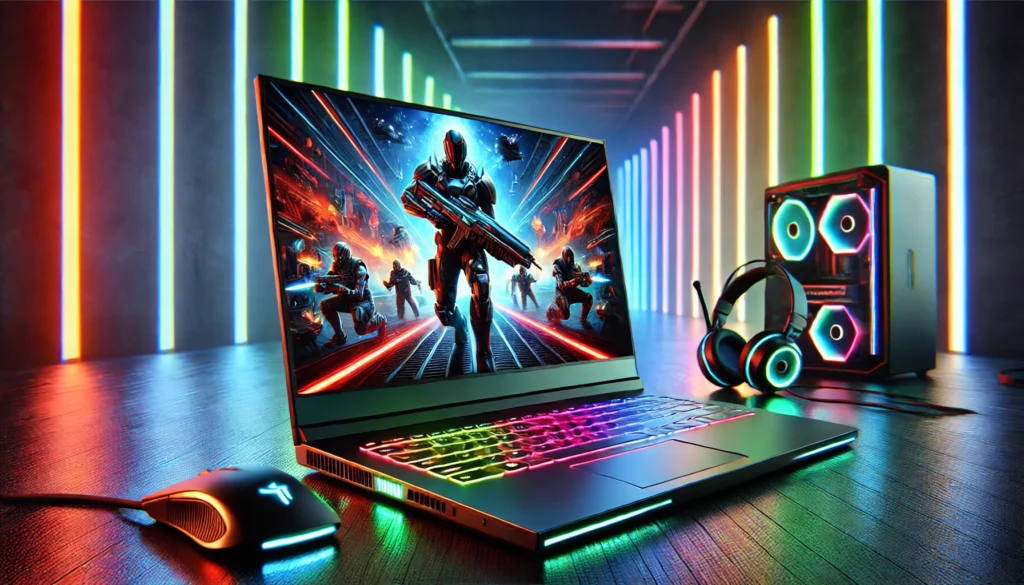
When shopping for a gaming laptop on a budget, understanding the key components that affect performance is essential. With limited funds, it’s crucial to prioritize the correct specifications to ensure a smooth gaming experience. Here’s what to look for:
1. Processor (CPU)
The processor is the heart of your laptop and plays a crucial role in gaming performance.
- Minimum Recommendation: Aim for an Intel Core i5 or AMD Ryzen 5 processor. These mid-range CPUs provide a good balance of power and efficiency, allowing you to run modern games without significant bottlenecks.
- Importance of Speed: Clock speed (GHz) is vital for gaming. A higher clock speed means faster processing, resulting in smoother gameplay and quicker load times.
2. Graphics Card (GPU)
The GPU is arguably the most critical component for gaming, as it handles rendering the visuals and effects you see on screen.
- Dedicated GPU: Look for laptops with discrete graphics cards like the NVIDIA GeForce GTX 1050/1650 or AMD Radeon RX series. These GPUs are designed for gaming and deliver significantly better performance compared to integrated graphics.
- Why It Matters: A dedicated GPU allows you to play games at higher settings and resolutions, reducing lag and improving visual quality.
3. RAM
Random Access Memory (RAM) determines how efficiently your laptop can handle multiple tasks and in-game assets.
- Minimum Requirement: 8GB of RAM is the minimum requirement for gaming today, ensuring games run smoothly without excessive stuttering.
- Upgrading to 16GB: If your budget allows, upgrading to 16GB can future-proof your laptop and provide smoother performance, especially for more demanding games and multitasking.
4. Storage
The type and size of your storage drive affect how quickly games load and how many titles you can store on your device.
- SSD vs. HDD: Solid-state drives (SSDs) are significantly faster than traditional hard drives (HDDs). They improve load times, system responsiveness, and overall performance.
- Minimum Recommendation: Look for laptops with at least a 256GB SSD. This ensures you have enough space for your operating system and a handful of games. If possible, opt for a combination of SSD and HDD for extra storage capacity.
5. Display
The display quality directly impacts your gaming experience, so it’s worth paying attention to the screen specifications.
- Resolution: A 1080p Full HD resolution is essential for sharp visuals and immersive gameplay. Avoid laptops with lower resolutions, as they can diminish the gaming experience.
- Refresh Rate: Higher refresh rates (e.g., 120Hz or 144Hz) provide smoother visuals and reduce motion blur during fast-paced action. While rare in sub-$700 laptops, it’s a bonus feature to look for.
Focusing on these components can help you identify a gaming laptop that offers the best value for your money. Even within a £700 budget, prioritizing the right specifications ensures an enjoyable and reliable gaming experience.
Best Gaming Laptops Under £700
If you’re looking for a gaming laptop under £700, several models and configurations stand out as reliable options. Below are some of the best laptops, including key specs, features, and pros and cons.
1. Acer Nitro 5 (Older Models)
The Acer Nitro 5 is a popular choice for budget-conscious gamers, offering solid performance and affordability.
Key Specs:
- Processor: Intel Core i5 or AMD Ryzen 5 (older generations).
- GPU: NVIDIA GeForce GTX 1050/1650.
- RAM: 8GB (upgradeable to 16GB).
- Storage: 256GB SSD
Why It’s Great:
- Reliable performance for games like Fortnite, Apex Legends, and Minecraft at medium settings.
- Sturdy build with decent thermal management for sustained gaming sessions.
Pros:
- Affordable entry into gaming.
- User-friendly design for upgrades (RAM and storage).
Cons:
- Heavier than some competitors.
- Limited battery life during intensive gaming.
2. Lenovo IdeaPad Gaming 3
The IdeaPad Gaming 3 is an excellent entry-level gaming laptop known for its sleek design and gaming capabilities.
Key Specs:
- Processor: AMD Ryzen 5 or Intel Core i5.
- GPU: NVIDIA GeForce GTX 1650 or AMD Radeon RX 6400.
- RAM: 8GB.
- Storage: 256GB SSD.
Why It’s Great:
- It offers solid performance at the price, especially for casual gamers.
- Ergonomic keyboard with good key travel, ideal for extended gaming.
Best Configurations:
- Look for models with Ryzen processors for better gaming performance at this price point.
Pros:
- Sleek and lightweight design.
- Competitive pricing for entry-level gaming.
Cons:
- Limited storage; may require an external drive.
- Display quality is average.
3. HP Victus Gaming
HP Victus Gaming laptops are known for offering decent performance at a low price, especially refurbished models.
Key Specs:
- Processor: AMD Ryzen 5.
- GPU: NVIDIA GeForce RTX 2050.
- RAM: 8GB.
- Storage: 512GB SSD.
Availability and Features:
- Refurbished models are widely available online and often come with warranties.
- Modern design with a green-backlit keyboard.
Benefits of Refurbished Units:
- Offers more powerful specs for a lower price.
- Environmentally friendly choice.
Pros:
- Excellent value for performance.
- Attractive design.
Cons:
- Risk of wear and tear on refurbished units.
- Battery performance can vary.
4. Dell G3
Dell’s G-series laptops are built for gaming, offering durability and solid specs for budget-conscious buyers.
Key Specs:
- Processor: Intel Core i5 or AMD Ryzen 5.
- GPU: NVIDIA GeForce GTX 1050 or 1650.
- RAM: 8GB.
- Storage: 256GB SSD.
Why It’s Great:
- Sturdy design with a reliable cooling system.
- Previous-generation models often drop into the sub-£700 range.
Specific GPU/CPU Combinations to Look Out For:
- GTX 1650 paired with Ryzen 5 for optimal performance.
Pros:
- Long-lasting build quality.
- Decent upgrade options.
Cons:
- It’s bulky compared to other laptops in this range.
- Display quality may not be as vibrant.
5. ASUS TUF Gaming Series (Entry-Level Models)
The ASUS TUF Gaming laptops are known for their durability and decent gaming performance at an affordable price.
Key Specs:
- Processor: Intel Core i5 or AMD Ryzen 5.
- GPU: NVIDIA GeForce GTX 1650.
- RAM: 8GB. (upgradeable).
- Storage: 256GB SSD.
Why It’s Great:
- Military-grade durability makes it an excellent choice for frequent travellers.
- ASUS’ proprietary cooling system ensures stable gaming sessions.
Pros:
- Durable and rugged design.
- Great thermal performance.
Cons:
- Limited storage space.
- Heavier than competitors in the same category.
These laptops prove you don’t need to spend a fortune to enjoy a great gaming experience. Each option offers unique strengths, so consider your gaming priorities—graphics, portability, or upgrade potential—to find the best fit for your budget.
Tips for Maximizing Gaming Performance on a Budget Laptop
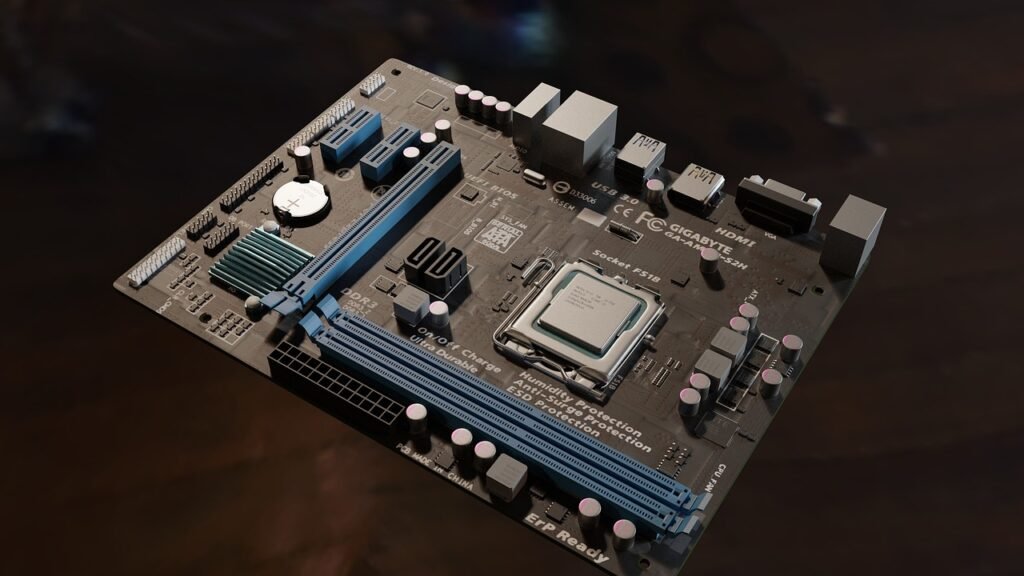
A budget laptop under £700 can deliver a satisfying gaming experience with proper adjustments and optimisations. You can get the most out of your gaming machine by upgrading components, fine-tuning in-game settings, and maintaining your device.
1. Upgradeable Components (RAM and Storage)
While budget laptops may have limitations, upgrading specific components can significantly improve gaming performance.
Increase RAM:
- Many budget laptops come with 8GB of RAM, which is sufficient for most games. However, upgrading to 16GB can enhance multitasking and allow smoother gameplay, especially in memory-intensive titles.
- Check your laptop’s specs to see if it supports additional RAM and use compatible modules for an upgrade.
Expand Storage:
- If your laptop only has a 256GB SSD, you may run out of space quickly, especially with larger game files. Consider adding a second SSD or replacing the current one with a higher-capacity model (if supported).
- For laptops with an available HDD slot, a hybrid setup (SSD for speed and HDD for storage) offers the best of both worlds.
2. Optimising Settings for Specific Games
Customising in-game settings is key to achieving the best balance of performance and visuals on a budget laptop.
Adjust Graphics Settings:
- Lower demanding settings such as shadows, anti-aliasing, and texture quality to medium or low.
- If you’re unsure which individual settings to tweak, use presets (like “Performance” or “Balanced”).
Optimise Resolution:
- Stick to your display’s native resolution (usually 1080p). If performance is still poor, reduce the resolution slightly to improve frame rates.
Enable V-Sync and Frame Rate Caps:
- Activating V-Sync can reduce screen tearing. Capping your frame rate can also help stabilise performance and reduce GPU load.
Use Game-Specific Performance Tools:
- Some games, like Fortnite, have built-in performance modes designed for lower-end hardware. Enabling these modes can dramatically improve performance.
Update GPU Drivers:
- Regularly update your graphics drivers (via NVIDIA GeForce Experience or AMD Adrenalin) for the latest performance optimisations.
3. Importance of Regular Maintenance (Cleaning and Software Updates)
Proper maintenance ensures your laptop runs smoothly and avoids performance bottlenecks over time.
Physical Cleaning:
- Dust accumulation in the fans and vents can lead to overheating and throttled performance. Use compressed air to clean the vents regularly.
- Consider a cooling pad for additional heat dissipation during long gaming sessions.
Software Updates:
- Keep your operating system and all drivers updated for improved compatibility and performance.
- Use tools like CCleaner to remove junk files and free up storage.
Manage Background Processes:
- Close unnecessary programs and processes running in the background to free up system resources.
- Use tools like MSI Afterburner or Task Manager to monitor resource usage.
Battery Settings:
- When gaming, plug in your laptop to ensure maximum performance.
- Switch to “High-Performance” mode in your laptop’s power settings to prioritise gaming performance.
Following these tips, you can optimise your budget gaming laptop for better performance, extend lifespan, and ensure a smoother experience in your favourite games. Even on a tight budget, these strategies can help you get the most value from your device.
Conclusion
Finding a gaming laptop under £700 may seem daunting, but with careful research and a clear understanding of your needs, it’s entirely possible. By prioritising the right specifications—like a dedicated GPU, a capable processor, and sufficient RAM—you can enjoy a gaming experience that balances performance and affordability.
Remember to assess your gaming needs and focus on the specs that matter most for the games you love. Whether you upgrade components, optimise in-game settings, or take advantage of refurbished deals, there are plenty of ways to make a budget laptop work for you.
Explore these models today and elevate your gaming experience without breaking the bank! Your next excellent gaming adventure is just a click away.

